How to Get a DHL Account Number: Step-by-Step Guide (2026)

Are you looking to get a DHL account number for your business?

If you’re a business owner looking for shipping options, then DHL is one of the best. Having a DHL account number will allow you to manage your business shipments and associate shipments with your DHL account for billing with ease. It will also help your connect supporting DHL services with e-commerce platforms such as WooCommerce.

However, there is an important distinction between a DHL business account, a DHL account number, and a MyDHL+ login. They are related, but they are not the same thing.

In this guide, we’ll show you how you can get a DHL account number in 2026!

But before we get into that, let’s take a moment to go over some of the highlights of DHL shipping and the benefits it offers.

DHL

How to Get a DHL Account Number: Quick Steps

The exact DHL sign-up process depends on your location, but the general process is:

  1. Select your DHL country or region.
  2. Open the DHL business account application page.
  3. Enter your business and contact information.
  4. Submit any documents requested by DHL.
  5. Complete the verification or onboarding process.
  6. Wait for DHL to approve and activate your account.
  7. Locate or confirm your DHL account number in MyDHL+ or through your DHL account information.

DHL: A Brief Overview

DHL is a private shipping firm that operates all over the world and ships packages from one location to another. Deutsche Post DHL is the most successful logistics corporation in the world, particularly in the areas of sea and air mail delivery.

DHL is a popular choice among small business owners for their shipping requirements, along with other shipping services. Having started out in the States in 1969, the firm eventually reached customers all around the globe by the 1970s. Even though DHL offers domestic shipping options, the company is best known for the global services it offers under the brand name DHL Express.

Over 1.3 billion packages are delivered by the organization every single year. Customers from different corners of the globe can take advantage of these services. Signing up for a DHL account is simple, and the company offers discounts and perks that can help businesses save money and run more efficiently.

Personal and business accounts are the two categories that make up DHL’s customer base. Anyone can use DHL to mail letters and parcels without signing up for an account, and occasional shippers may find it unnecessary.

On the other hand, the ease of use provided by a DHL Express account is favored by a significantly large number of people and especially businesses that solely rely on shipping products on a regular basis. Opening a DHL account is required for access to their business rates and services.

Benefits of a DHL Account

Having a DHL account for your business comes with several benefits, including the following:

Discounted Rates: DHL may offer you discounted rates on select services. DHL will not charge you for many of the items that are needed for shipping, such as boxes and envelopes, which could help you save money on your monthly office supply costs. You can also get price estimates online, which can be useful when deciding how to proceed with your delivery.

Customs and Paperwork: Shipments crossing international borders require the use of customs services. The delay caused by customs can result in the loss of both crucial paperwork and valuable sales. Furthermore, your company can suffer losses if the shipment of goods, materials, or papers is delayed for an extended period of time. Your shipments will be able to be shipped and delivered in a reasonable timeframe when you work with DHL to handle any customs-related complications that may arise.

Order Tracking: With DHL’s online shipping tracking and management, you’ll always know where your packages are. 

Order Centralization and Management: Your DHL account can be integrated into the interface of a third-party shipping solution, allowing you to centralize the management of all your shipping accounts.

Why Do You Need a DHL Account Number?

  • Streamlined Shipping Process: The DHL Account number acts as a unique identifier. It simplifies the process of generating labels, booking shipments, etc. If you have an account number it is easier to access your shipping history and automate your routine tasks making your shipping process more easy.
  • Simplified Billing and Payment options: When you have a DHL account number, your entire shipments will be tied to a single account, resulting in simplified billing and easier payment management.
  • Discounted Shipping Rates: DHL offers discounted shipping rates to people who have a DHL account and specifically for businesses that ship in larger volumes.
  • Enhanced Control and Visibility: Having a DHL account number lets you control your shipments in real time. You can also track packages, manage delivery options, and even reroute shipments.
  • Priority Customer Support: If you face any issues with your shipments, you will receive priority support from DHL because you have a DHL account.
  • Access to DHL Tools and Integrations: You will have access to DHL tools if you have a DHL account so that you can integrate these tools into your eCommerce platform; using this, you will be able to automate your shipping.

What You Need Before Creating a DHL Account

Before starting your application, make sure you keep your business information ready. This can help you complete the application without having to stop midway.

Depending on your country and account type, you may need:

  • Legal business or company name
  • Business address
  • Contact person’s name
  • Business email address
  • Phone number
  • Business registration information or documents
  • Tax or business identification details, where applicable
  • Information about your expected shipping volume and destinations
  • Billing or payment information requested by DHL

The exact documentation requirements are determined by the DHL market where your account is being opened. For example, some DHL regional account-opening processes require supporting business documents as part of the application and verification process.

Steps to Get a DHL Account Number

  • Visit the DHL Website

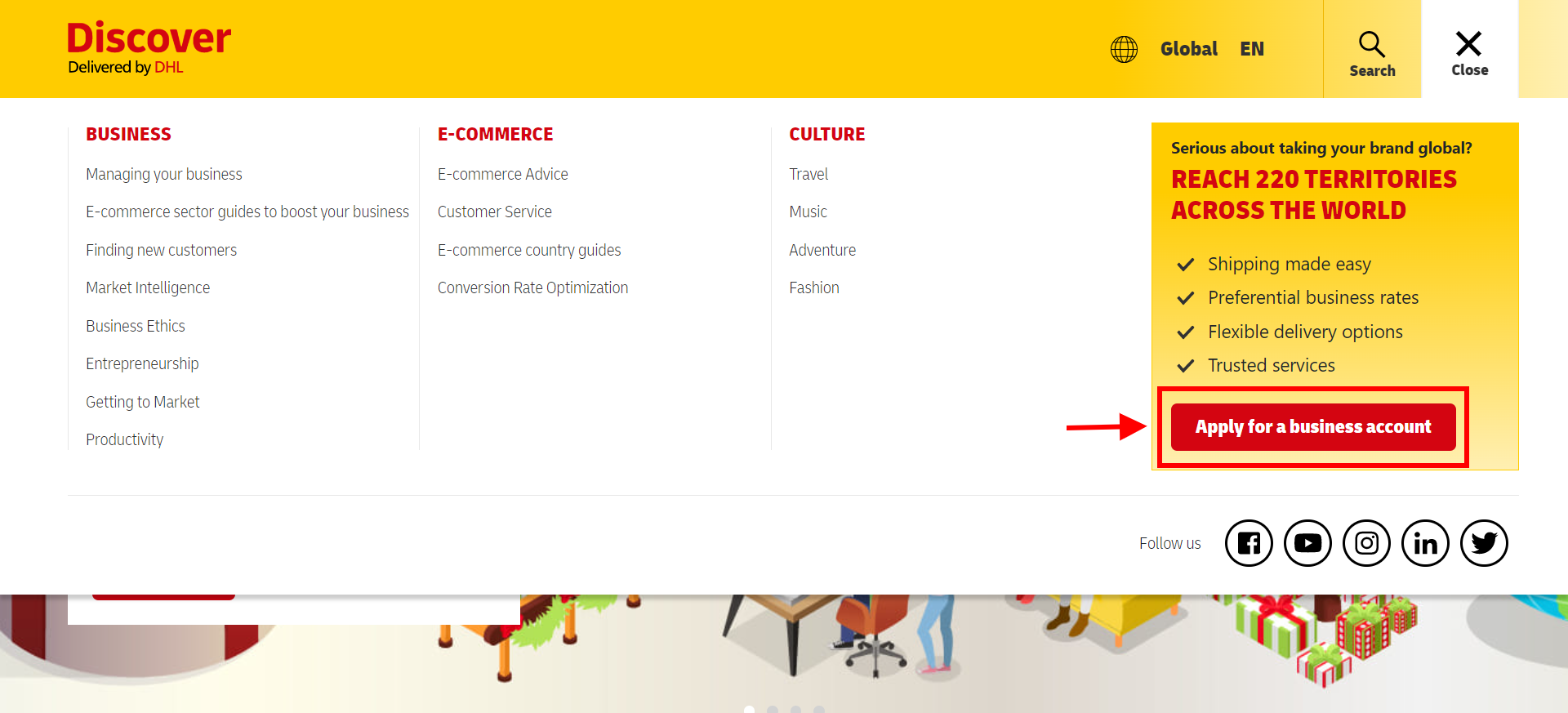
Go to www.dhl.com. Click on “Request a Business Account”

  • Complete the Registration form

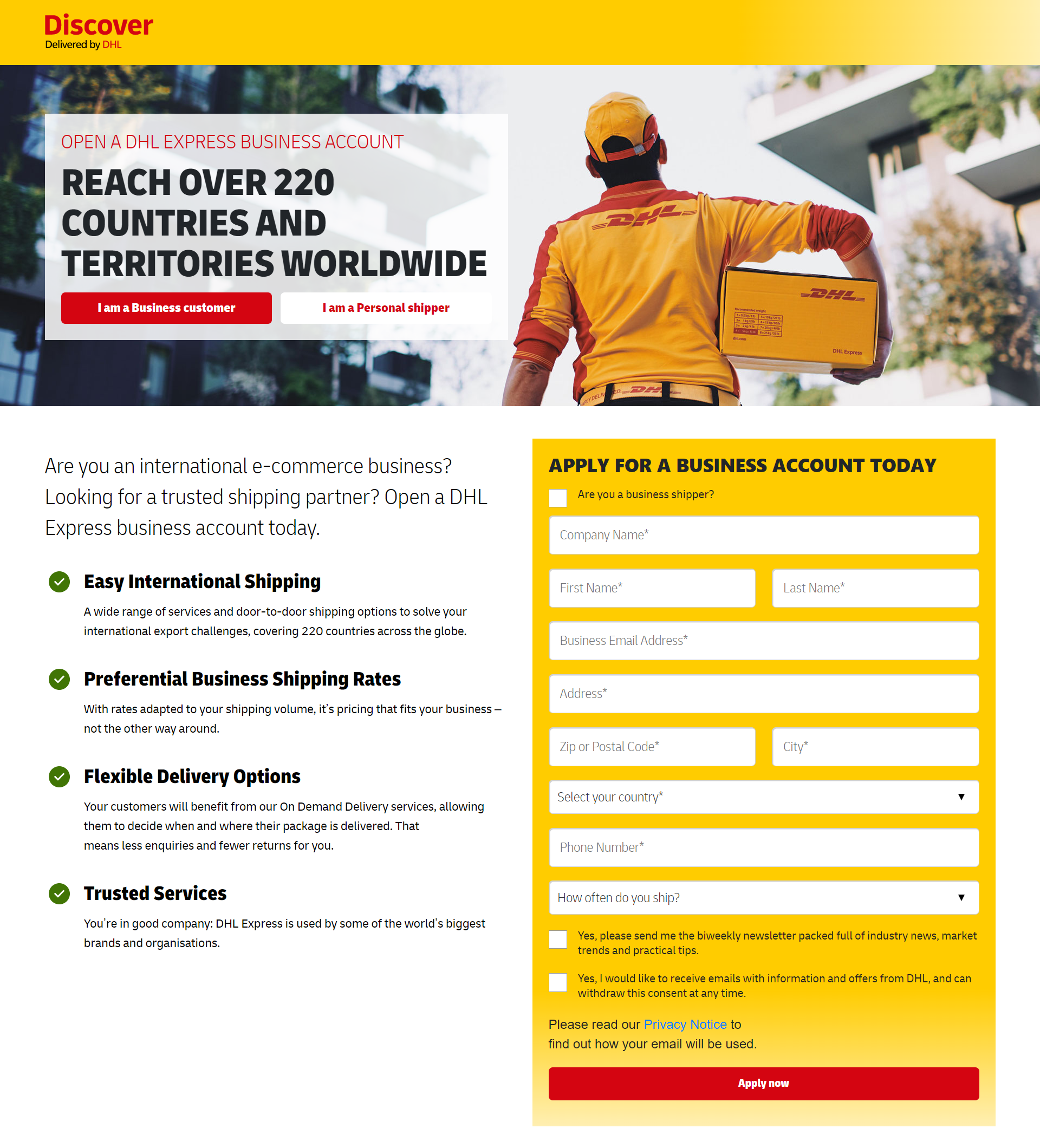
Provide details: name, company name, Phone number, email, etc. Ensure all the details are accurate in order to speed up the approval process.

Opening a DHL Account

  • Verify your Identity

Once the form is completed, you will be asked to verify your identity. This could involve confirming your email address via a link sent to your inbox or uploading necessary documentation like a business registration certificate. Follow the instructions carefully.

DHL mail

  • Submit your Application

Double-check all the information you have entered before submitting your application. Once you are sure everything is correct, then submit the form for processing.

  • Wait for Approval

After you have submitted your application, it will be reviewed by DHL. During the approval process, DHL may contact you for additional information, such as whether the account is for personal or business purposes, etc. This is a crucial step for setting up the account.

  • Receive your DHL Account Number

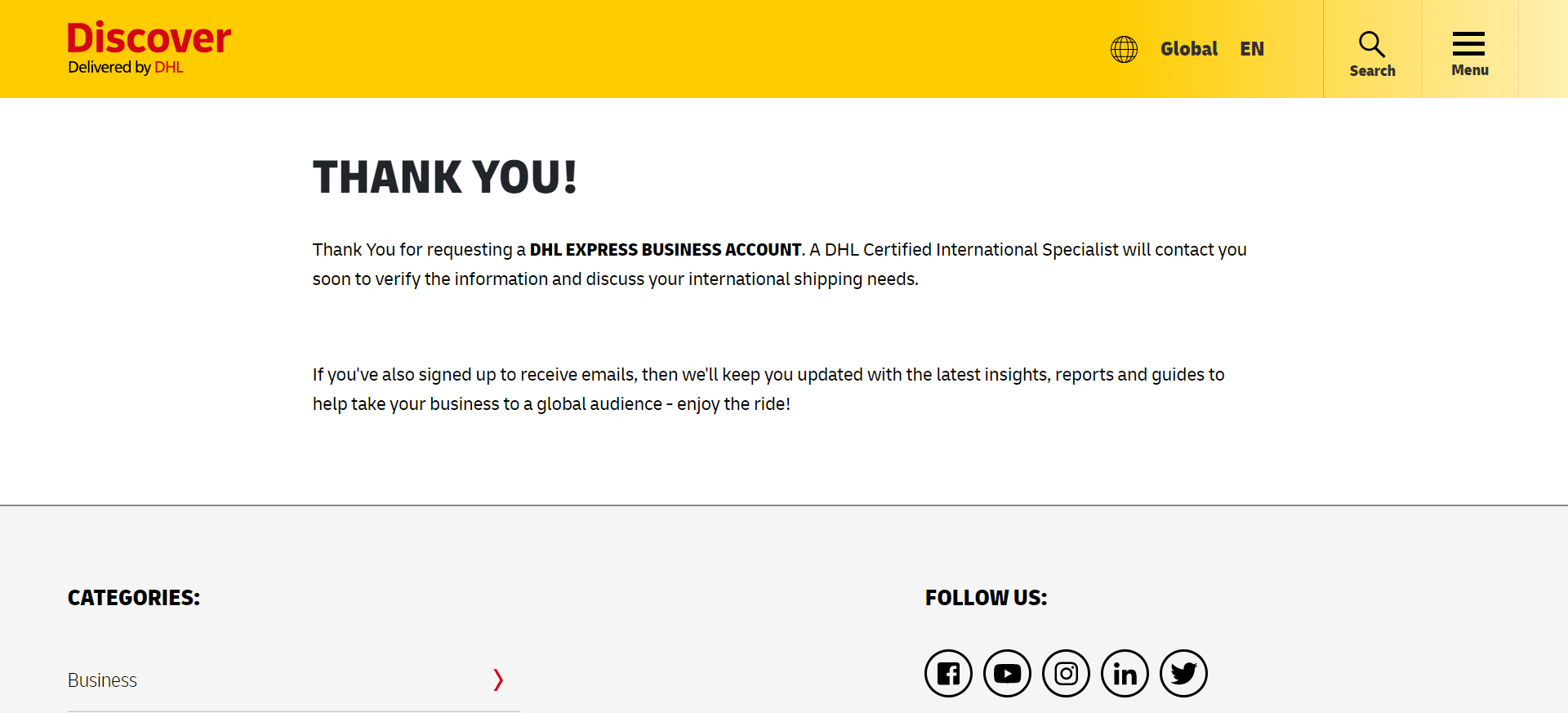
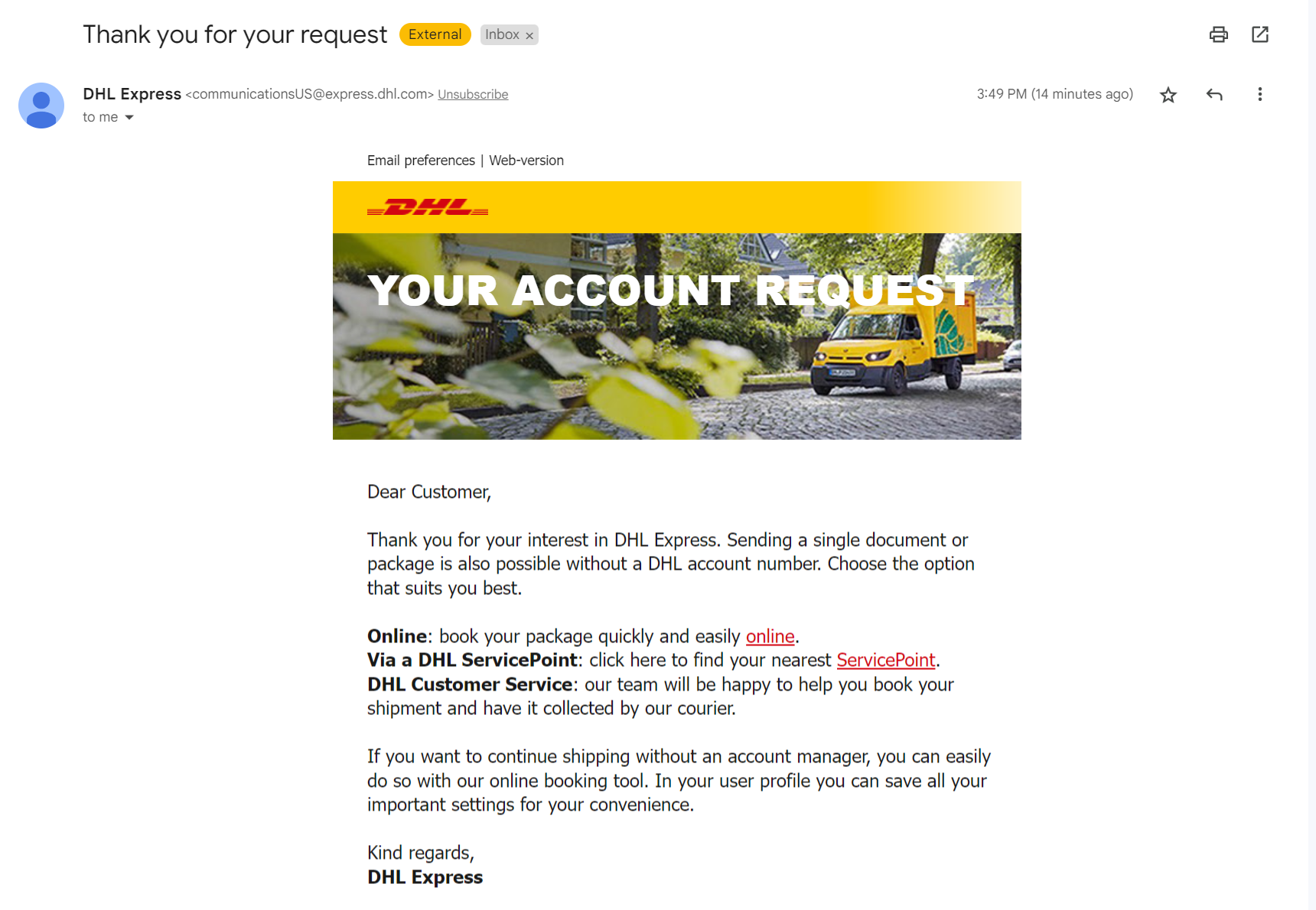
Once your application is approved, you will receive your DHL account number via mail.

DHL Account vs. DHL Account Number: What’s the Difference?

If you’re new to DHL shipping, then these terms can be quite confusing. Let’s take a look at what each of these means! 

Term What it means
DHL Account The business/customer relationship you establish with DHL. 
DHL Account Number The identifier associated with your DHL account. 
MyDHL+ Account Your online login used to manage shipments, settings, tracking, and DHL account information

Your DHL account essentially provides the relationship and services you have with DHL. It allows you to connect your business’s shipping requirements with DHL.

Your DHL account number identifies the relevant account when you create or pay for shipments. Account numbers can be selected for transportation charges and added as shipper or payer accounts.

Your MyDHL+ login is the online account through which you can create shipments, get quotes, schedule pickups, track shipments, and manage saved DHL accounts. It allows you to navigate your shipping process with ease.

How is a DHL account number used?

A DHL account number can be used to:

Identify your DHL account for shipments: Your account can be selected when creating a shipment in supported DHL tools.

Associate transportation charges with your account: MyDHL+ allows a DHL account to be selected for transportation charges.

Access account-specific shipping arrangements: DHL’s business-account programs can provide rates and services based on the business’s account and shipping profile.

Connect DHL with supported shipping software: Your account number can form part of the credentials required to connect supported DHL services to your e-commerce platform. The exact credentials depend on the DHL service and integration.

Easiest Way to Ship with Your DHL Account

Once you have created your account with DHL, the easiest way to start shipping is with the ELEX WooCommerce DHL Express / eCommerce / Paket / Parcel Shipping Plugin with Print Label.
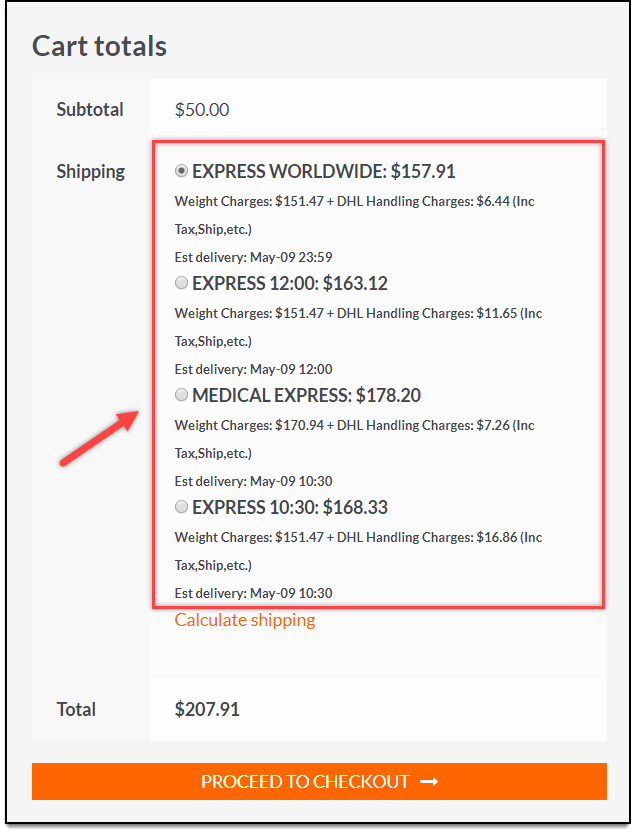
ELEX WooCommerce DHL Express Live Shipping Rates

This plugin will allow you to display real-time pricing for DHL services like DHL Express, DHL Paket, DHL Parcel, and DHL eCommerce shipping.

As an additional perk, you can customize your box packaging, print shipping labels, and track packages all from within the same unified interface without leaving your WordPress dashboard and switching between different websites.

The following are some of the most prominent features offered by the plugin:

  • Shipment costs will be presented in real time on the shopping cart and checkout pages.
  • DHL’s shipping insurance protects you against financial loss with every package you send. Insurance can be obtained by DHL for an extra fee if the shipper desires a higher level of safety.
  • Shipping costs can be adjusted by a fixed amount or a percentage.
  • Produce custom-sized and formatted labels for both shipments and returns.
  • A DHL waybill can be requested to ensure the security of your packages and expedite their passage through customs.
  • You have the option of packing items separately, or you may pack them into boxes that have been specifically designed for the contents based on the weight and dimensions of the shipment.
  • Deliveries can be set up to require a signature from the recipient, and you can even check to make sure they’re over the age of 18 if you’re concerned about fraud.
  • All of these features, as well as a great many others, are combined into a single solution to meet the requirements that you have for your online store using DHL WooCommerce

How to Connect Your DHL Account to WooCommerce

Once you have your DHL account number, you can connect DHL shipping services with WooCommerce using a compatible shipping integration. One plugin that can help you with making your process easier is using the ELEX WooCommerce DHL Express / eCommerce / Paket / Parcel Shipping Plugin. This plugin supports DHL Express, DHL Paket, and DHL eCommerce integrations and provides features including real-time rates, label printing, tracking, manifests, and shipping documents.

  • First, install the ELEX DHL WooCommerce Plugin

    You can download the plugin either from Elextensions.com or from WordPress.


Install and activate the ELEX WooCommerce DHL Shipping Plugin with Print Label on your WordPress website.

  • Open the DHL Settings

From your WordPress dashboard, go to:

WooCommerce → Plugins → ELEX DHL WooCommerce Plugin

Activate the plugin. Go to the Plugin’s general settings.


You can also access the DHL Express settings through the installed ELEX plugin.

  • Enter Your DHL Account Credentials

Under DHL Account Information, enter the credentials required by your DHL service.

For the current ELEX DHL Express configuration, these include: Account Number, API Key, and API Secret

Sometimes the API credentials can require assistance from a DHL account manager depending on the country.

NOTE: Your DHL account number may not be the only credential required for integration. Requirements can vary by DHL service, country, and ELEX integration. For example, the ELEX DHL India Add-On uses the DHL Account Number, Site ID, and Site Password. However, businesses outside the United States may need to contact their DHL account manager for the required credentials.

  • Configure DHL Shipping Services

Once your credentials are connected, configure the DHL services you want to offer through WooCommerce.

Depending on the ELEX configuration, you can use features such as:

  • Real-time DHL rates
  • Account or negotiated rates
  • Shipping label generation
  • Return labels
  • Shipment tracking
  • Commercial invoices
  • Bulk shipment processing
  • Package/box packing

ELEX currently supports both domestic and international DHL shipping workflows, depending on the configured service.

Your DHL account number is the starting point. With the right DHL credentials and ELEX integration, you can bring DHL shipping directly into your WooCommerce workflow instead of managing every shipment manually

Common Issues After Signing Up for a DHL Account

  • DHL hasn’t approved my account yet. What should I do?

Check whether DHL has requested additional information or supporting documents.

Account activation timelines vary by country and account-opening process. If you have already submitted everything requested, contact the DHL representative or customer support team handling your application.

  • I haven’t received my DHL account number.

First, check the email address you used during the account-opening process for activation or onboarding messages.

If your account has already been activated, log in to MyDHL+ and check:

My Shipment Settings → My DHL Accounts

If you still cannot find the number, contact DHL support or your account representative to confirm your account status.

  • My account number isn’t working in MyDHL+.

Make sure that you’re entering the correct account number and selecting the appropriate account type.

DHL’s current MyDHL+ workflow distinguishes between account types such as Shipper Account and Payer Account, depending on how the account will be used. You may also need account authorization before another user can use an account for shipping. DHL’s current MyDHL+ tools provide account-authorization controls for this purpose.

  • I have a DHL account number, but ELEX can’t connect to DHL.

Your account number may not be sufficient by itself.

Check the credentials required for your specific DHL service. For ELEX’s DHL Express setup, the current configuration uses an Account Number, API Key, and API Secret. DHL India and other service-specific integrations may use different credentials.

If the credentials are correct but the connection still fails, verify that the credentials are for the appropriate DHL environment and that your account has been enabled for the required integration.

The Last Shot

Getting a DHL account number begins with starting the right business account, which is correct for your country. It also includes completing the required verification and onboarding process. Once your account gets activated, you can manage your account number through MyDHL+ and use it for supported shipping and billing workflows.

For WooCommerce store owners, the account number is also an important part of connecting DHL shipping services to the store. With a compatible integration such as ELEX, you can go beyond simply adding DHL as a shipping option and manage rates, labels, tracking, and other shipping tasks from your WooCommerce dashboard.

Are you ready to connect DHL to your WooCommerce store? Explore the ELEX WooCommerce DHL Shipping Plugin and simplify your shipping workflow!

FAQs

  1. How long does it take to get a DHL Account number?
    The process of obtaining the DHL Account number takes a few business days. Once you have submitted your application, it is then reviewed by the DHL team. After that, you will be sent the DHL Account number via mail.
  2. Can individuals get a DHL Account number, or is it only for businesses?
    Both individuals and businesses can get a DHL Account number; the accounts are tailored for different needs.
  3. Is a DHL account number free?
    A DHL account number is not a separate product that you purchase on its own. It is associated with your DHL customer/business account. Whether there are any account-opening charges or specific commercial terms depends on your DHL market and account arrangement. DHL’s business-account offerings are based on the shipping services and commercial terms agreed with the business.
  4. Where can I find my DHL account number?

    After your DHL account has been activated, log in to MyDHL+ and go to: My Shipment Settings → My DHL Accounts. From there, you can view or manage DHL accounts associated with your MyDHL+ profile.

  5. Do I need a DHL account number to use MyDHL+?

    Not always. DHL’s current MyDHL+ registration process supports users who have an existing DHL account number, while some markets also allow users to use MyDHL+ without a saved DHL account and choose another payment method. The features and payment options available depend on the country and user type.

  6. Can I use my DHL account number with WooCommerce?

    Yes. A DHL account number can form part of the credentials used to connect supported DHL shipping services with WooCommerce. However, the exact credentials depend on the DHL service and integration.

  7. What should I do if I haven’t received my DHL account number?
    Check your email for DHL account activation or onboarding communications first. If your account has already been approved, check My Shipment Settings → My DHL Accounts in MyDHL+. If the account number is still unavailable, contact DHL customer support or your account representative and ask them to confirm whether the account has been activated.

Further Reading

Popular Tags

Blog Business Case Code Snippet Documentation ELEX Address Validation & Google Address Autocomplete Plugin for WooCommerce ELEX Amazon Payments Gateway for WooCommerce ELEX Authorize.net Payment Gateway for WooCommerce ELEX Bulk Edit Products, Prices & Attributes for WooCommerce ELEX Dynamic Pricing and Discounts Plugin for WooCommerce ELEX EasyPost Auto-Generate & Email Labels Add-On ELEX EasyPost Shipping Method Plugin for WooCommerce ELEX Google Product Feed Plugin ELEX Hide WooCommerce Shipping Methods Plugin ELEX Minimum Order Amount for WooCommerce ELEX ShipEngine Multi-Carrier Shipping & Label Printing Plugin for WooCommerce ELEX Stamps.com Shipping Plugin with USPS Postage for WooCommerce ELEX Stamps.com USPS Auto-Generate & Email Labels Add-On ELEX WooCommerce Abandoned Cart Recovery with Dynamic Coupons ELEX WooCommerce Australia Post Bulk Label Printing Add-On ELEX WooCommerce Australia Post Shipping Plugin with Print Label & Tracking ELEX WooCommerce Catalog Feed for Facebook & Instagram ELEX WooCommerce Catalog Mode, Wholesale & Role Based Pricing ELEX WooCommerce Choose Your Delivery Date Plugin ELEX WooCommerce DHL Express / eCommerce / Paket Shipping Plugin with Print Label ELEX WooCommerce DHL Express Bulk Label Printing Add-On ELEX WooCommerce Discount per Payment Method Plugin ELEX WooCommerce EasyPost Return Label Add-On ELEX WooCommerce Name Your Price Plugin ELEX WooCommerce Product Price Custom Text (Before & After Text) and Discount Plugin ELEX WooCommerce Stamps.com Bulk Label Printing Add-On ELEX WooCommerce USPS Shipping Plugin with Print Label ELEX WooCommerce Request a Quote plugin for WooCommerce ELEX WordPress Embed YouTube Video Gallery ELEX WordPress Embed YouTube Video Gallery Plugin FAQ Getting Started Knowledge Base Open Source HelpDesk & Customer Support Ticketing System – Simple & Flexible Plugin Integrations ReachShip WooCommerce Multi-Carrier & Conditional Shipping Plugin Shipping Plugins Uncategorized WooCommerce WSChat - WordPress Live Chat Plugin WSDesk - WordPress Helpdesk Plugin