
Discount coupons continue to be among the most efficient marketing instruments used by eCommerce retailers. Regardless of whether you are planning a launch of a new website, promotion of sales during different seasons of the year, reward programs for your loyal clients, or even abandoned cart recovery, appropriate use of discounts may prove extremely helpful.
Modern customers always look for any discount offers before making a purchase decision. A well-considered strategy with respect to discounts will enable you not only to attract new clients but also to establish good relations with existing ones. However, mere creation of discount codes is not enough; to boost your earnings, you should be aware of what discount codes are, when and how you should use them, and how to manage them effectively.
This article will help you learn everything about discount codes.
What Are Coupon Codes?
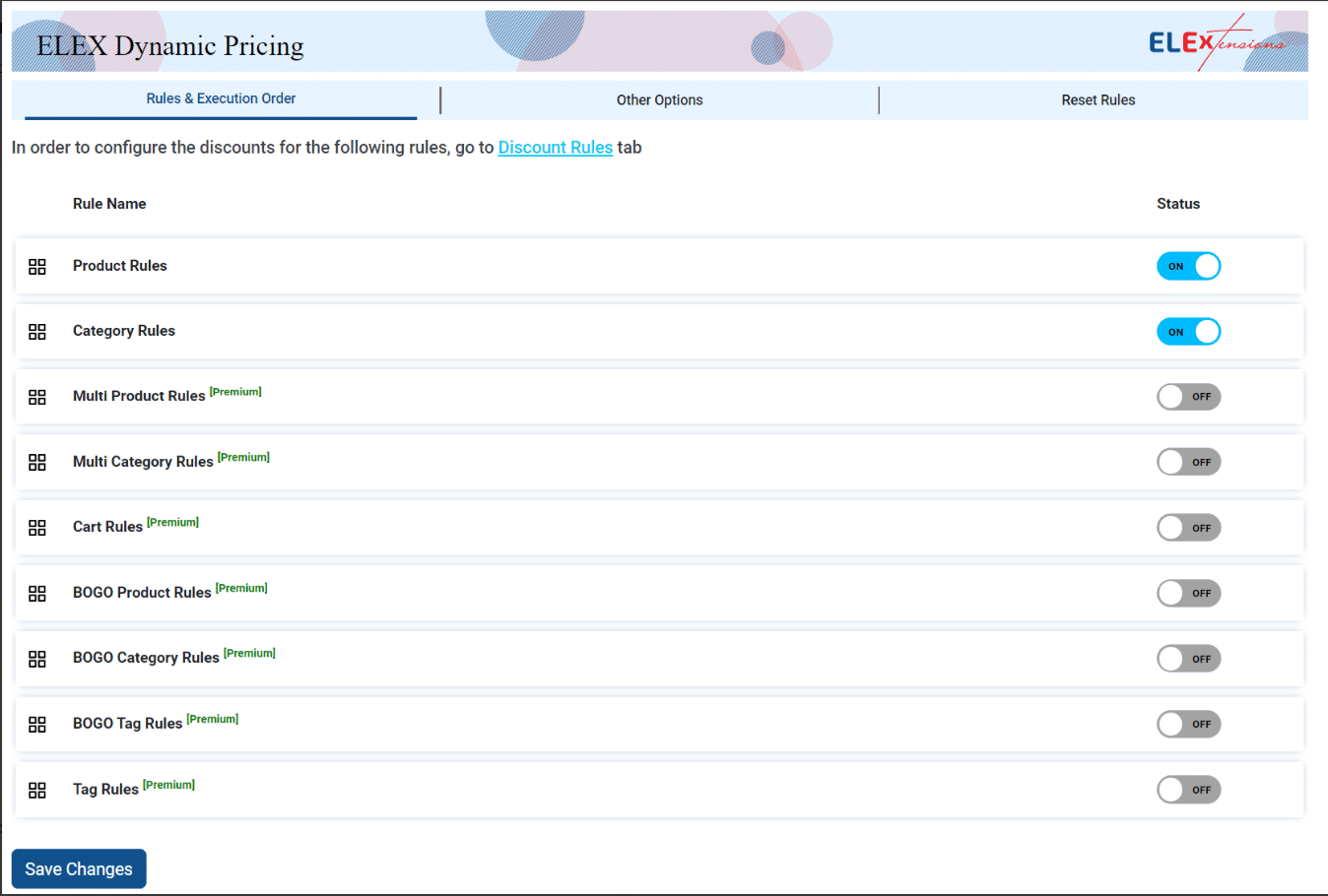
A coupon code is a promotional code that has to be entered at the time of checkout so that you get a discount or promotion. Most online stores use a coupon code in order to increase their sales or make some promotions.
Generally, the coupon code consists of letters and numbers such as WELCOME15, SAVE20, FREESHIP. As soon as you enter the coupon code, WooCommerce automatically verifies it according to the set conditions.
According to the marketing strategy used by the company, the coupon codes may provide the following advantages:
- Percentage discounts
- Fixed cart discounts
- Fixed product discounts
- Free shipping
- Buy One Get One (BOGO) offers
- Free gifts
- First-order discounts
- Loyalty rewards
- Referral incentives
Unlike automatic discounts, coupon codes require customers to manually enter the code during checkout unless your store uses plugins that can apply coupons automatically.
How Do Coupon Codes Work?
The coupon redemption process is straightforward for both store owners and customers.
First, the store owner creates a coupon in WooCommerce and defines its conditions, including:
- Discount type
- Discount value
- Minimum purchase amount
- Eligible products or categories
- Customer restrictions
- Usage limits
- Expiration date
After the release of the coupon, there could be several ways of promoting the coupon through email marketing, social media marketing, SMS marketing, or even affiliate marketing sites.
Once the product is added to the shopping cart and a code for the coupon is entered during checkout, the WooCommerce software checks whether the conditions required for offering the discount are satisfied. If so, the discount is automatically applied.
For instance:
- Cart Value = $120
- Coupon Code = SAVE20
- Discount = 20%
- Total Amount = $96
In case there is any minimum order requirement of $150, then it will inform the customer about it.
Common Types of Coupon Codes
Different business goals require different types of coupons. Choosing the right one can significantly improve campaign performance.
| Coupon Type | Example | Best For |
| Percentage Discount | 20% OFF | Storewide sales |
| Fixed Cart Discount | $10 OFF | Increasing average order value |
| Free Shipping | FREESHIP | Reducing cart abandonment |
| BOGO | Buy 1 Get 1 | Inventory clearance |
| First Order Discount | WELCOME15 | Customer acquisition |
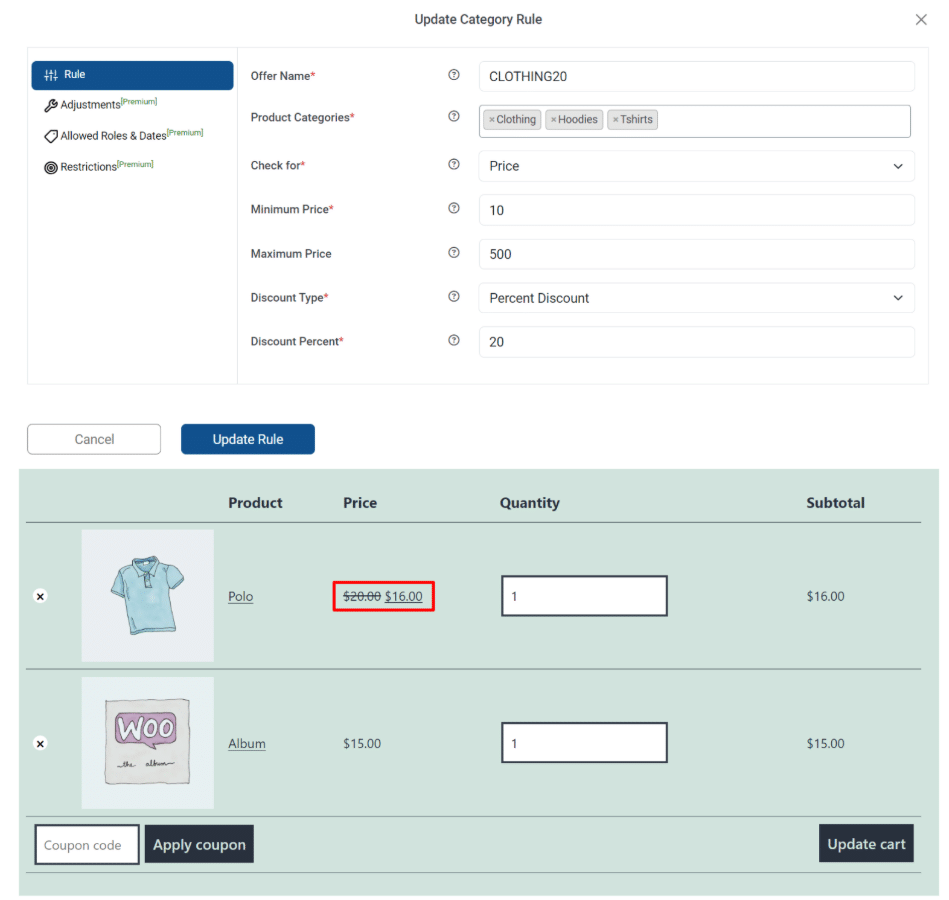
Percentage Discount Coupons
These coupons reduce the purchase amount by a specified percentage.
Examples include:
- 10% Off
- 20% Off
- 50% Off
Percentage discounts work particularly well for seasonal promotions, product launches, and holiday campaigns because they scale with the customer’s order value.
Fixed Cart Discount Coupons
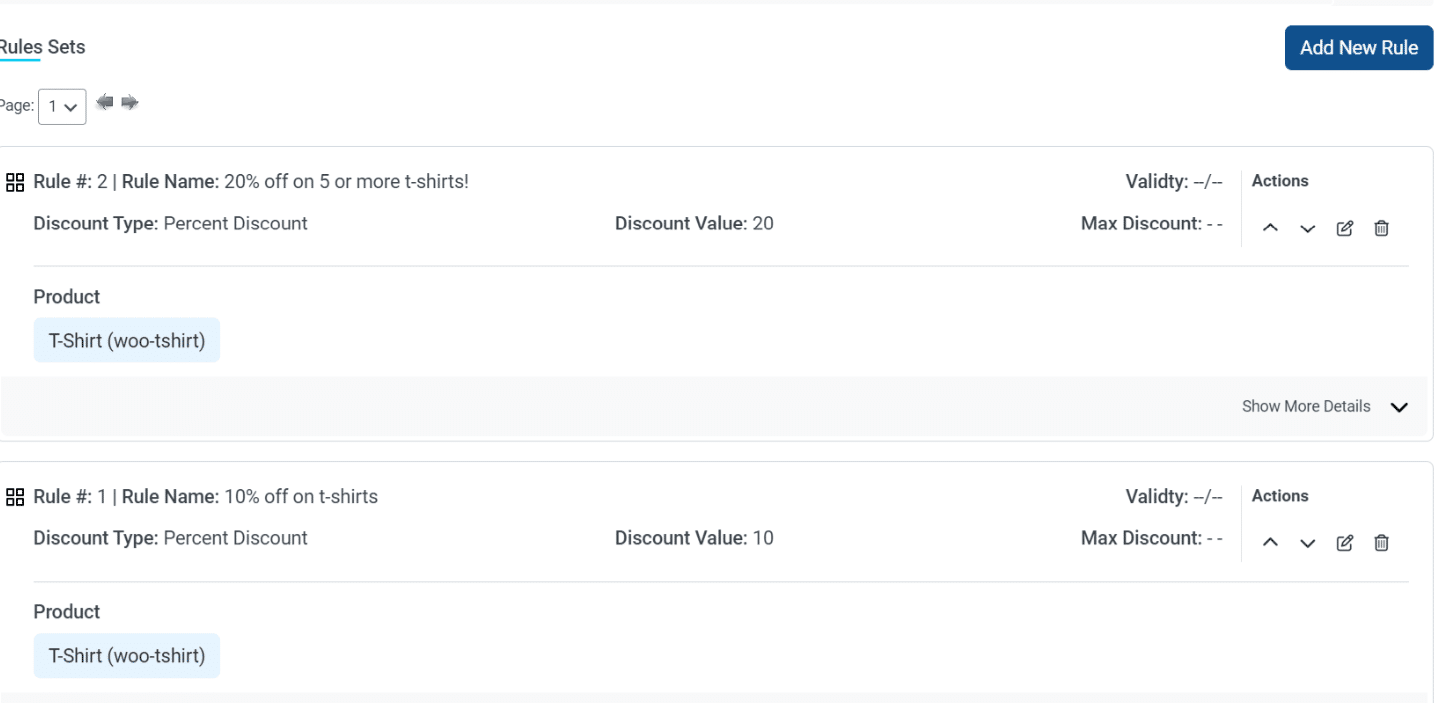
A fixed cart coupon deducts a specific amount from the total order.
For example:
- Save $20 on orders above $100
- Get $15 off your purchase
These coupons encourage customers to spend more to qualify for the discount.
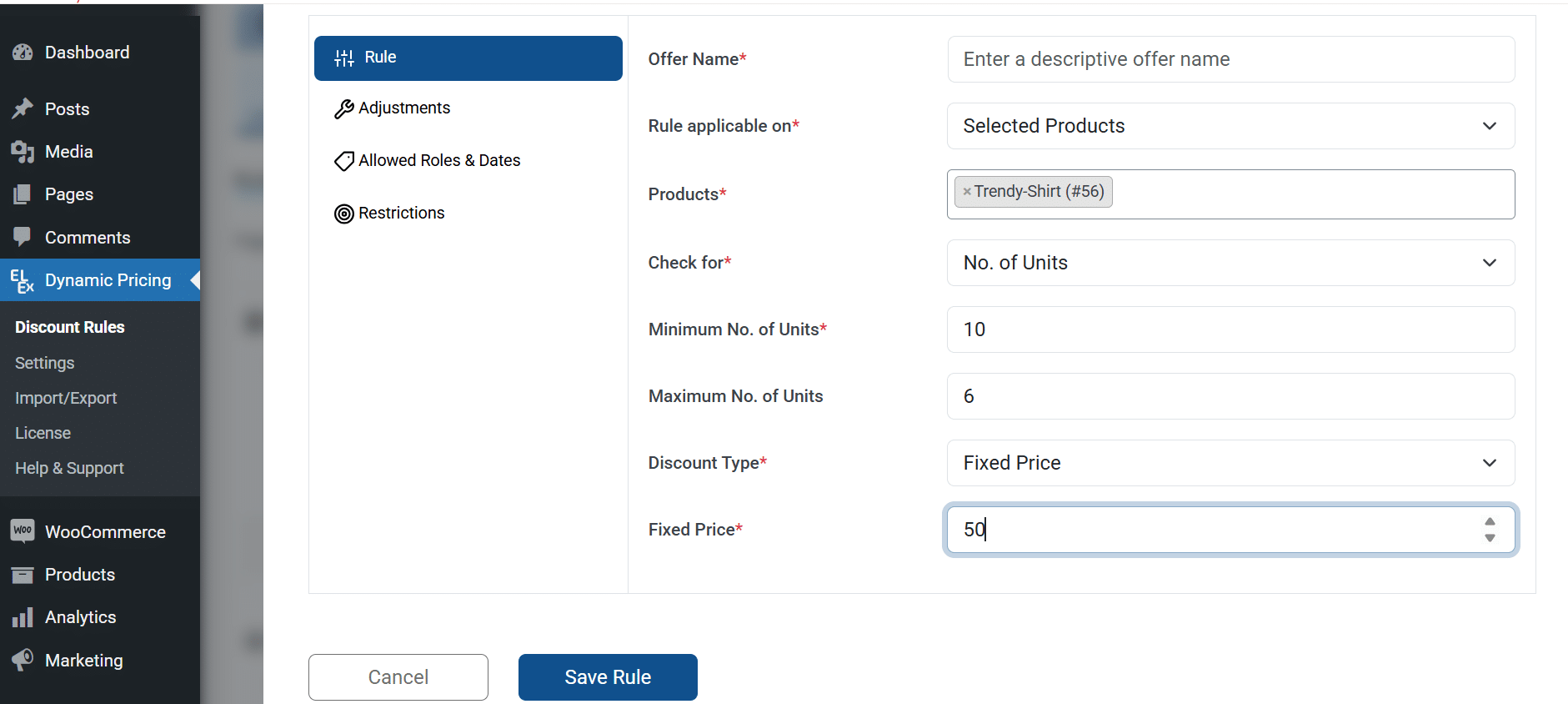
Fixed Product Discounts
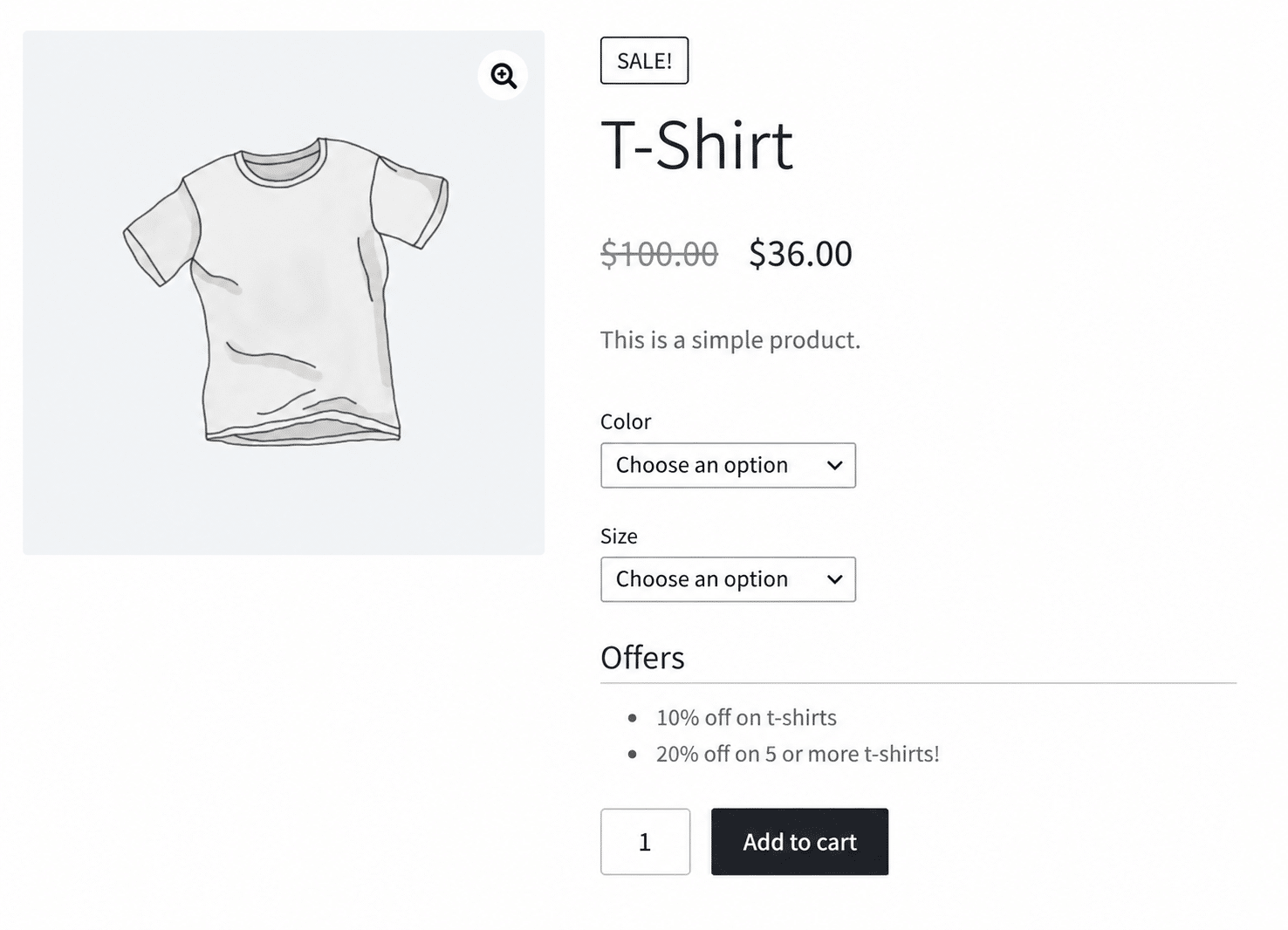
Instead of discounting the entire order, these coupons apply only to selected products.
For example:
- $10 off wireless headphones
- $25 off premium memberships
This approach helps promote specific products while protecting profit margins on the rest of your catalog.
Free Shipping Coupons
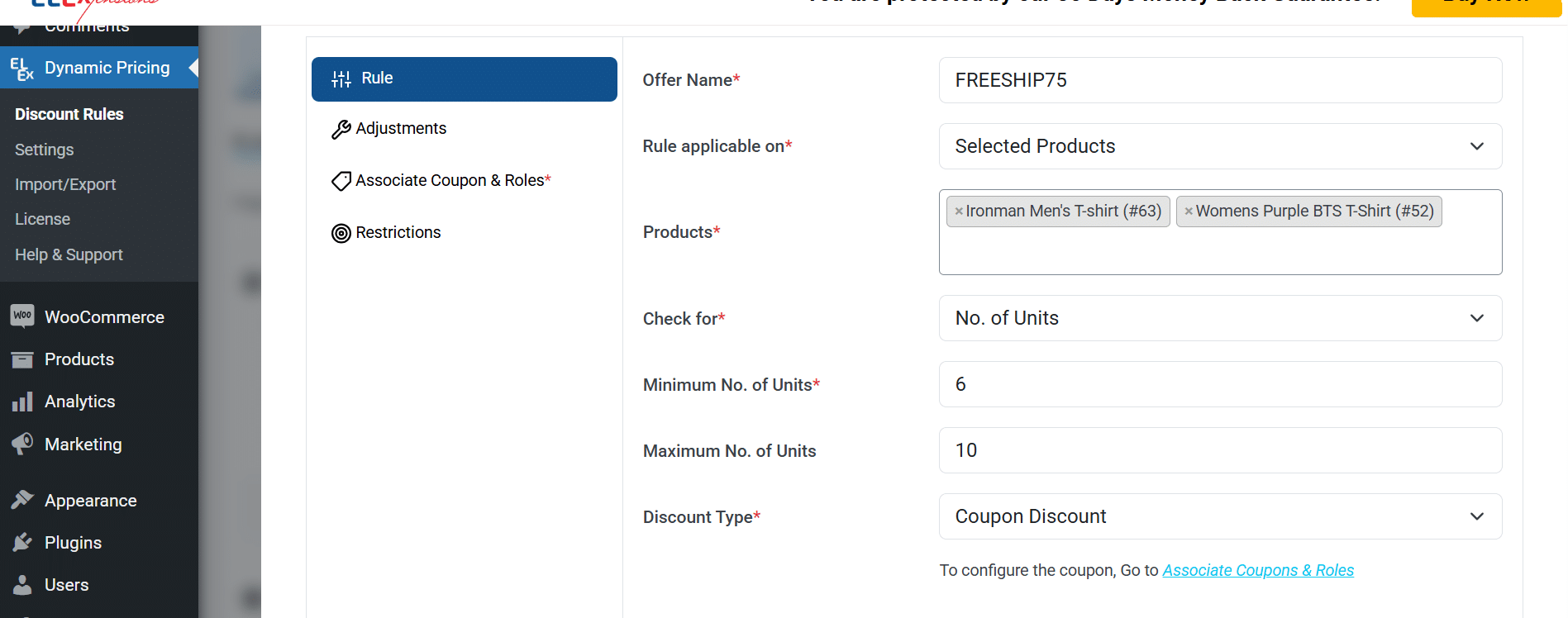
The main reasons for cart abandonment include unexpected shipping costs. Offering free shipping by using coupon codes is a good strategy to convince hesitant customers to make their purchases. Many WooCommerce stores offer free shipping alongside minimum purchase amount requirements.
- Example: Free shipping on orders above $75 using the code FREESHIP75.
Buy One Get One (BOGO) Coupons
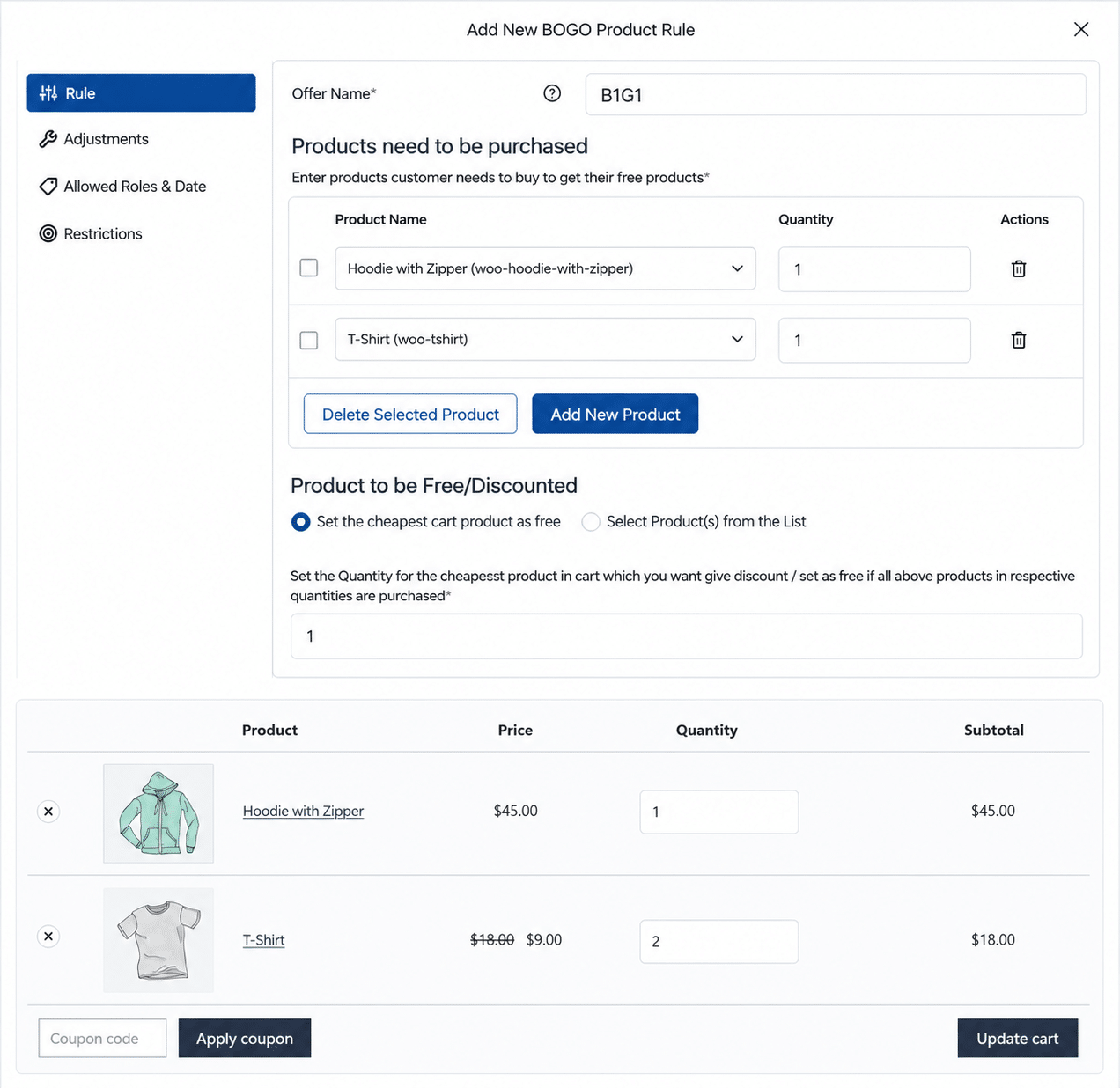
BOGO promotions encourage customers to purchase more products by rewarding them with free or discounted items.
Examples include:
- Buy One Get One Free
- Buy Two Get One Free
- Buy One Get the Second at 50% Off
These promotions work especially well for fashion, beauty, food, and accessory stores.
First-Time Customer Coupons
Acquiring new customers often costs significantly more than retaining existing ones. Offering a welcome coupon helps reduce hesitation for first-time buyers.
Examples include:
- WELCOME15
- FIRSTORDER10
Many online retailers display these offers through pop-ups or email signup forms to grow their subscriber lists while encouraging immediate purchases.
Loyalty and Referral Coupons
Loyal customers are more likely to make repeat purchases when rewarded with exclusive discounts. Businesses can create personalized coupons for:
- Birthday rewards
- Anniversary discounts
- VIP customers
- Referral programs
- Repeat purchases
These campaigns strengthen customer relationships while increasing customer lifetime value.
Abandoned Cart Recovery Coupons
Cart abandonment is one of the biggest problems facing eCommerce stores, coupons can be used to get the sales back. This is normally done by sending out automated emails after a customer leaves items in their shopping cart.
- Example: COMEBACK10 or a time-sensitive 15% off code to create urgency and incentivize the completion of the purchase.
Why Coupon Codes Matter for eCommerce Businesses
When used strategically, coupon codes can deliver measurable business benefits beyond increasing short-term sales. Some of the biggest advantages include:
- Convert More People: An appropriate discount will entice indecisive visitors to complete the purchase rather than abandon their carts.
- Attract New Visitors: Special offers for new customers increase the likelihood that they will make a purchase.
- Stimulate Purchase Size: Purchase minimum conditions will persuade people to buy more products before proceeding with checkout.
- Appreciate Your Best Customers: Personalized discounts are a great tool for retaining loyal customers.
- Reduce Excess Stock: Coupons are a brilliant way to get rid of slow-moving products without lowering the product price.
- Marketing Efficiency: Unique coupon codes help companies find out what marketing tools bring more money. For instance, you can generate unique coupon codes for emails, influencers, affiliate promotions, and social media.
Best Practices for Using Coupon Codes
It’s not difficult to design a coupon; however, designing an effective one takes planning. These guidelines will help ensure your coupon marketing programs generate the most sales without sacrificing profit.
- Set Clear Campaign Goals
Before creating a coupon, define what you want to achieve. Different goals require different discount strategies.
For example:
- Increase first-time purchases
- Recover abandoned carts
- Reward loyal customers
- Boost average order value
- Promote seasonal sales
- Clear slow-moving inventory
- Launch new products
A clearly defined objective makes it easier to choose the right discount type and measure campaign success.
- Use Expiration Dates
Promotions with deadlines are used to trigger the psychology of fear of missing out. The lack of a deadline will allow consumers to put off their decision to buy and ultimately miss out on the offer.
For example:
- Weekend-only sale
- Black Friday promotions
- End-of-season clearance
- Holiday discounts
Displaying the coupon’s expiration date in promotional emails and banners creates urgency and increases conversion rates.
- Set Minimum Purchase Requirements
Rather than giving discounts on all purchases, make your customers buy more by giving them discounts when they buy more.
Examples are:
- Save $20 on orders over $150
- Get a 15% discount on orders over $100
- Free delivery on orders over $75
Setting minimum purchase amounts can increase your average order amount and keep the deal profitable for you.
- Limit Coupon Usage
Unlimited coupons can reduce profitability and lead to misuse. WooCommerce allows you to restrict coupons by:
- Total number of redemptions
- One use per customer
- Usage per order
- Specific customer email addresses
Usage limits are particularly useful for welcome discounts and exclusive promotions.
- Promote Coupons Across Multiple Channels
Creating a coupon isn’t enough—customers need to know it exists. Promote your offers through:
- Email newsletters
- Social media platforms
- SMS campaigns
- Website banners
- Exit-intent popups
- Affiliate partners
- Influencer collaborations
Using multiple marketing channels increases visibility and improves coupon redemption rates.
- Personalize Your Offers
Generic discounts are becoming less effective as customer expectations evolve. Instead, consider personalized promotions such as:
- Birthday coupons
- Anniversary discounts
- Loyalty rewards
- Product recommendations
- Region-specific offers
- Discounts based on previous purchases
Personalized offers often generate higher engagement and stronger customer loyalty.
- Track Performance with Analytics (UTM Parameters)
In order to determine the ROI for your discount offers, it is necessary to integrate your coupon promotions with either Google Analytics or WooCommerce tracking tools. This can be done by adding UTM parameters to the link that you will share via email and social media along with the code.
Common Coupon Mistakes to Avoid
Although a coupon campaign may lead to increased sales, a poorly executed one can result in decreased profitability or damage to your brand’s reputation. The most common errors made while implementing coupon campaigns include:
- Frequent Discount Offers: When customers expect a coupon every time they shop from you, they will not buy anything unless there is a coupon offer. Find a proper balance between discount campaigns and normal prices.
- Unnecessarily Complex Coupon Conditions: Customers should be able to use the coupon without having to read through long and complex terms and conditions. Ensure your coupon conditions are simple and easily understood.
- Neglecting Mobile Users: Many customers today shop online using their phones. Make sure the coupon entry fields are easy to find, coupon codes easy to copy and paste, and the process of payment easy to do from your phone.
- Not Testing Coupons: You should always test the coupons before you initiate the campaign. Make sure all the discounts, product restrictions, expiry date, and shipping conditions work properly.
Prevent Coupon Abuse
While coupons help attract customers, they can also be misused if proper restrictions aren’t in place. To reduce coupon abuse:
- Set expiration dates
- Limit usage per customer
- Restrict coupons to specific products or categories
- Exclude already discounted items
- Monitor unusually high redemption rates
- Create unique coupons for email campaigns
- Track coupon performance regularly
Monitoring coupon usage helps identify fraudulent activity while protecting your promotional budget.
Manual Coupons vs. Automatic Discounts
Many WooCommerce stores rely on manual coupon codes, but automatic discounts are becoming increasingly popular because they simplify the shopping experience.
| Feature | Manual Coupon Codes | Automatic Discounts |
| Trigger | Customer enters a coupon code | Discount applies automatically |
| Best Use Case | Suitable for marketing campaigns | Ideal for storewide promotions |
| Benefit | Encourages email signups | Improves checkout experience |
| Shareability | Easy to share through social media | Reduces coupon-related support requests |
| Friction | Requires customer action | No additional customer effort |
In most cases, the use of both methods brings the best effects. Here are some examples: Discount coupons for new members, automatic discounts for volume orders, seasonal discount codes, and loyalty bonuses.
Automating the Use of Coupon Codes: ELEX WooCommerce Dynamic Pricing & Discounts Plugin
As your business grows, you might need additional features to create custom pricing strategies and discount programs. Tt’s time to explore how to automate the use of coupon codes on your site. When you automate coupon codes, you can take advantage of all their benefits with drastically less effort.
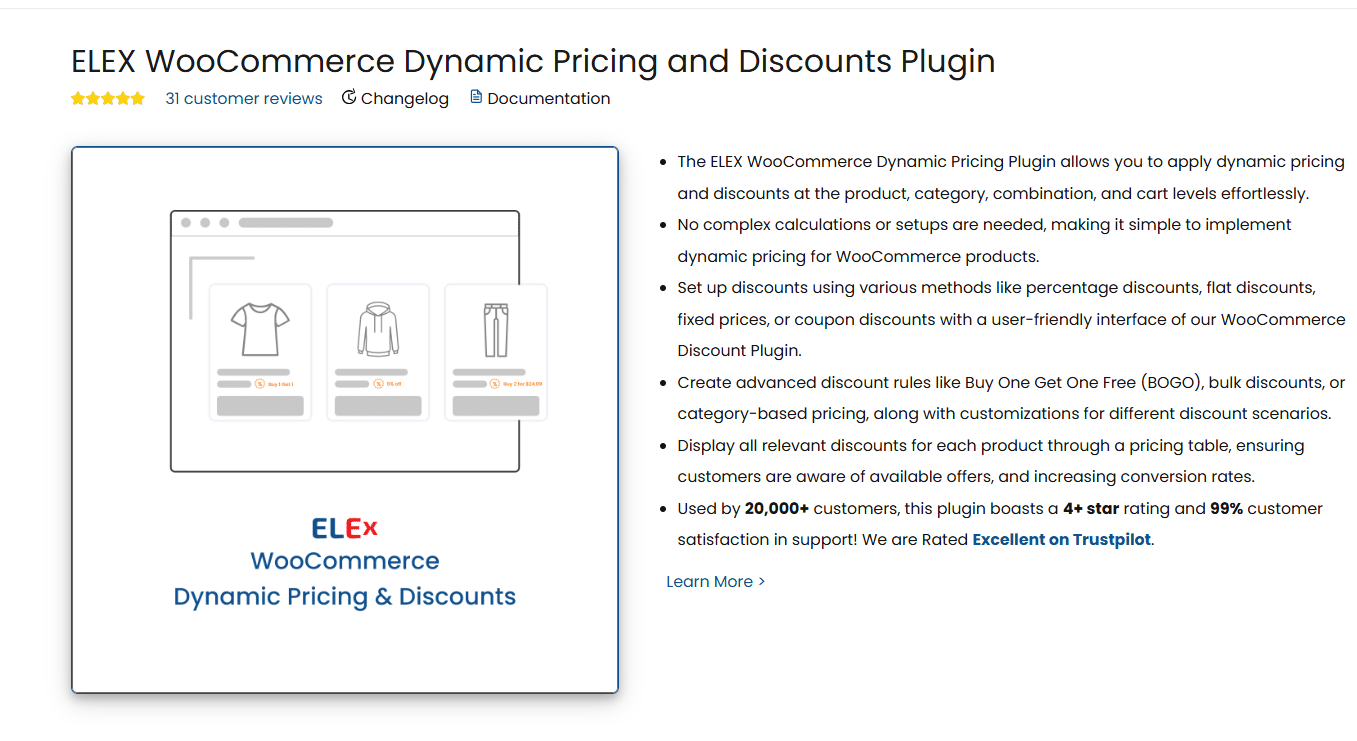
The ELEX WooCommerce Dynamic Pricing & Discounts Plugin is designed to extend your WooCommerce store in terms of dynamic pricing. Thanks to the plugin, you will be able to:
- Create special discounts for products
- Implement discounting according to product categories
- Provide BOGO deals
- Create bulk and quantity discounts
- Apply cart-based discounts
- Organize promotional campaigns
- Create special pricing for customer roles
- Limit discount availability only for some customer groups
- Combine different discount conditions
- Automate discount application according to discount conditions
All these features help online store owners to decrease their efforts and offer personal discounts to customers that would stimulate larger orders and a loyal customer base.
Conclusion
Coupons remain one of the most powerful means of attracting new clients, driving conversions, and encouraging repeat sales. Be it a special offer for first-time buyers, a reward for loyal customers, or a seasonal promotion – your coupon campaign may help you meet your objectives without sacrificing customer satisfaction.
coupon codes can incentivize customers to make a purchase, increase loyalty, and boost the reach and visibility of your business. It’s easy to understand the advantages of using coupon codes, so give it a try and see what kind of results you get. When using coupon codes, it’s important to make sure you’re using them correctly and effectively. To ensure success, focus on the user experience and make sure customers can easily access and use the code.
We hope this article has helped you understand coupon codes better!
Frequently Asked Questions
1. Which one is more effective: coupons or automatic discount offers?
Each type has its own pros. Coupon offers are suitable for marketing promotions and special offers; automatic discounts make it easier for consumers to enjoy their savings as they do not need to enter any code.
2. Does using coupons generate higher sales?
Certainly, coupon promotions can help to raise the conversion rate, drive up the purchase amount, and bring new clients. However, too many discounts might decrease the profit margin.
3. Is it possible for WooCommerce to create coupons without using any plugin?
Yes, WooCommerce has its own coupon creation system that lets users create discount coupons, fixed cart discount coupons, fixed product discount coupons, and free shipping coupons.
4. What methods can I use to make sure coupons are not abused?
I can make sure that coupons are not used incorrectly by creating expiration periods, setting up usage limits, defining eligible products, and checking redemption activity.
5. When should I use dynamic pricing instead of coupons?
Using dynamic pricing is the best choice when I would like to offer discounts according to some criteria and do not require entering any coupon code from the customer side.
Further Reading
A Complete Guide to Set Up WooCommerce Dynamic Pricing using Free Plugin
How to Easily Modify the Product Description using the ELEX Bulk Edit Plugin?
How Does WooCommerce Abandoned Cart Work? Do We Need A Plugin?