Google Shopping is a product comparison tool that is integrated into Google’s search engine.
E-commerce retailers use Google Shopping to display advertisements on the search engine and to provide essential information about each product. Google Shopping provides an advanced marketing platform for online sellers to promote their products directly to customers with high purchasing intention when they search for a similar product.
When a customer is looking for a product, Google Shopping advertisements appear in Google search. The most relevant products to the particular keyword will be displayed by Google. When a customer clicks on the ad, they will be redirected to the advertisers’ website. Product title, cost, picture, and customer reviews are all listed in Google Shopping ads.
Google Shopping Ads are a cost-effective strategy to increase traffic to your eCommerce website and sell more products. They are among the most clicked ads on Google.
Many eCommerce merchants rely on them to promote the company and outperform rivals. To have your products showcased as Google Shopping ads, you must first create a feed of your WooCommerce products and upload it to Google Merchant Center.
Manually generating a feed from large amounts of data is not a viable option for large stores. As a result, it’s critical to find a tool that can help you generate product feeds in these situations.
We’ll go through some of the best WooCommerce Google Shopping plugins in this article, which will help you create customized product feeds for your Google Merchant Center account.
Best Free WooCommerce Google Shopping Feed Plugins
ELEX WooCommerce Google Shopping Plugin
 The ELEX WooCommerce Google Shopping Feed Plugin has been one of the best plugins for driving better-qualified leads and increasing the visibility of your eCommerce website by listing your products on Google Shopping Ads.
This plugin will assist you in creating product feeds for your Google Shopping ads in an automated manner. Depending on your company’s advertising strategy, you can customize your feed.
You can also create refresh schedules to make sure your product feed is updated on a regular basis. This plugin is among the most user-friendly choices available due to the advanced mapping of categories and attributes.
Product feeds can also be generated in a wide range of file types, including CSV, TSV, and XML.
Features
- Seamless product feed generation for Google Merchant Center.
- Assists you in creating country-specific feeds.
- There are several file formats available, including XML, TSV, and CSV.
- Variable products are supported.
- There are no restrictions on how many feeds you can create.
- To keep the product feed up to date, you can set up a refresh schedule.
- WooCommerce categories can be mapped to Google categories.
- Attributes are mapped based on conditions and rules.
- Attribute values can be appended and prepended.
- A user-friendly dashboard makes it simple to manage multiple feeds.
Woocommerce Google Feed Manager
 This is yet another powerful solution for creating and managing product feeds for various advertising platforms. It has a number of advanced features that can assist you in optimizing your product feed.
By setting intervals, you will be able to update the feed regularly. You can quickly add up to a hundred products from your eCommerce platform to a product feed that meets the requirements of Google Shopping.
As a whole, if you want to improve the reach of your feed by linking it across various marketing channels, this plugin could be very useful.
Features
- Create and manage product feeds for a variety of channels, such as Google Shopping.
- Filter your products easily to ensure that the feed only contains the relevant ones.
- Individual product updates make it simple to optimize your feed.
- With a variety of templates for various channels, getting started is a breeze.
- Set up timers for the product feed to be updated automatically.
- There are no restrictions on the number of products you can include in a feed.
WooCommerce Product Feed Plugin
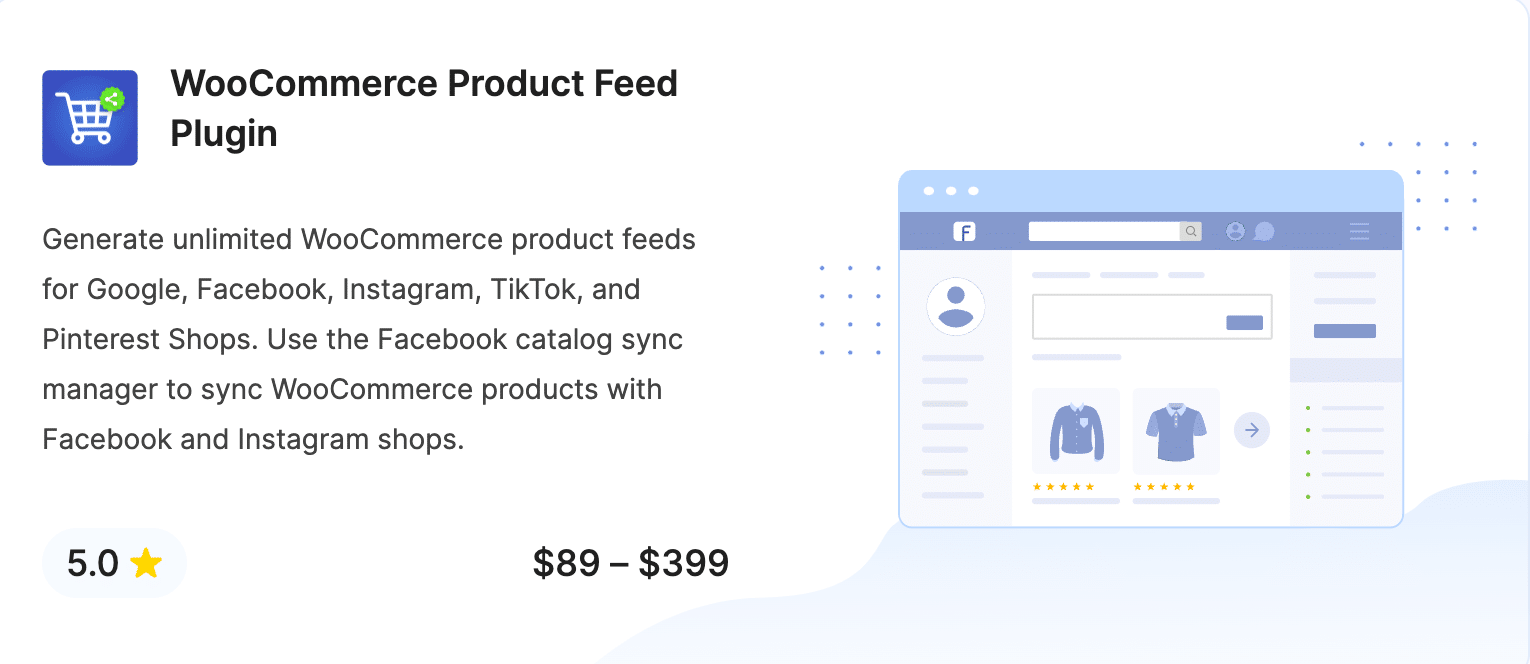
The WooCommerce Product Feed Plugin lets you generate product feeds for 20+ popular sales channels, such as Google Shop, Facebook Shop, Pinterest Shop, TikTop Shop, and more.
The plugin lets you list your store products on Google’s Shopping programs, such as Buy on Google, Google Merchant Promotions, and Google Product Reviews.
It offers advanced filters for filtering out products for generating feed. You can schedule updates for product feed at specified intervals, so any changes on your store will be updated in the sales channel listings as well.
The plugin also offers a product catalog sync option to sync WooCommerce products with the Facebook catalog. It provides scheduling and filtering options for the Catalog sync option as well.
Features
- Generate product feed for 20+ sales channels
- Support for Google Shopping programs
- Use advanced filters exporting product feeds for specific products
- Schedule auto-feed refresh options
- Advanced category and attribute mapping
- Support for multiple file formats
- Generate custom product feeds
- Sync WooCommerce products with the Facebook catalog
Woo Product Feed For Marketing Channels
 This WooCommerce Product Feed plugin will guide you through the process of manually transferring every one of your product offerings to a Google Merchant account. It enables you to introduce your product feed to vast numbers of customers worldwide and submit up-to-date information every time you update the description of the product. The only disadvantage is that you can only upload one product at a time when using the free version of the WooCommerce to Google Merchant Center plugin, and you can only submit a limited number of WooCommerce products to Google Merchant Center.
Features
- Upload your WC product feed XML file to your Google merchant account in a matter of seconds.
- Transfer each of your products one at a time to your Google Merchant account.
- Millions of shoppers around the world will see your product feed.
- Every time you update a product description, sync updated information automatically.
Product Feed PRO for WooCommerce
 This is the most comprehensive plugin, with features such as category and field mapping, advanced, rule-based filtering, and product variables support, and no limits on the number of items you can put in your product feeds. Only your most profitable products will make it to the product feed if you use advanced filters and rules per channel. This plugin also allows you to use all attribute types, including Custom Attributes, Dynamic Attributes, and Product Attributes, which makes your job much easier.
Features
- It enables you to create product feeds for multiple platforms, including Google Shopping.
- Advanced filtering options allow you to pick and choose which products to include in your feed.
- WooCommerce variable product support.
- There are no restrictions on the number of products and feeds that can be generated.
- Create schedules to update the feeds at predetermined intervals.
- Advanced mapping of categories and attributes
Product Feed Manager for WooCommerce
 This plugin will guide you through the process of creating and maintaining a product feed for Google Merchant Center and other platforms. It works flawlessly with WooCommerce and makes generating and managing product feeds a breeze. Furthermore, it assists you in automating the process of updating the feed on a regular basis, which is a Google Merchant Center requirement. Over 150 other marketplaces are supported by the plugin, and you can simply choose which one you want to promote and the plugin will generate a product feed for you.
Features
- Create product feeds for Google Shopping and other marketing platforms with ease.
- Product selection using advanced filters.
- It’s simple to map categories between WooCommerce and Google.
- Fields created by other plugins are supported as well.
Hopefully, this article has given you some useful information about some of the best free WooCommerce Google Shopping Feed Plugins for Google Merchant Center integration. If you have any questions about the plugins, please leave them in the comments section below.